

Bottom line up front
The Word Agent turns a plain-language description into a real, saved Word draft, skipping the blank page entirely. It runs exclusively on Anthropic’s Claude models — your tenant admin has to enable them first — and requires a paid Microsoft 365 Copilot license, with no Personal or Family-account path to it.
The last post in this series covered getting a fast, reliable read on a document you already have. This one covers the opposite problem: a document that doesn’t exist yet, and the blank page you’re stuck in front of while it doesn’t. That’s what the Word Agent is for.
Why It Matters
The blank page is the hardest part of most documents. You know roughly what you need — a project proposal, an SOP, a one-page brief — but staring at an empty file while you figure out structure and wording at the same time slows everything down. The Word Agent skips that step: describe the document in plain language, and it hands you a real, saved draft to start from instead of a cursor blinking on a blank page.
What You’ll Learn
- What the Word Agent does and how it differs from Copilot’s in-document editing features
- Where to find it, and what has to be enabled before it shows up
- What model powers it, and why that’s worth knowing
- Exactly who can use it — this is more restricted than it might sound
- A realistic way to try it on real work
What the Word Agent Actually Does
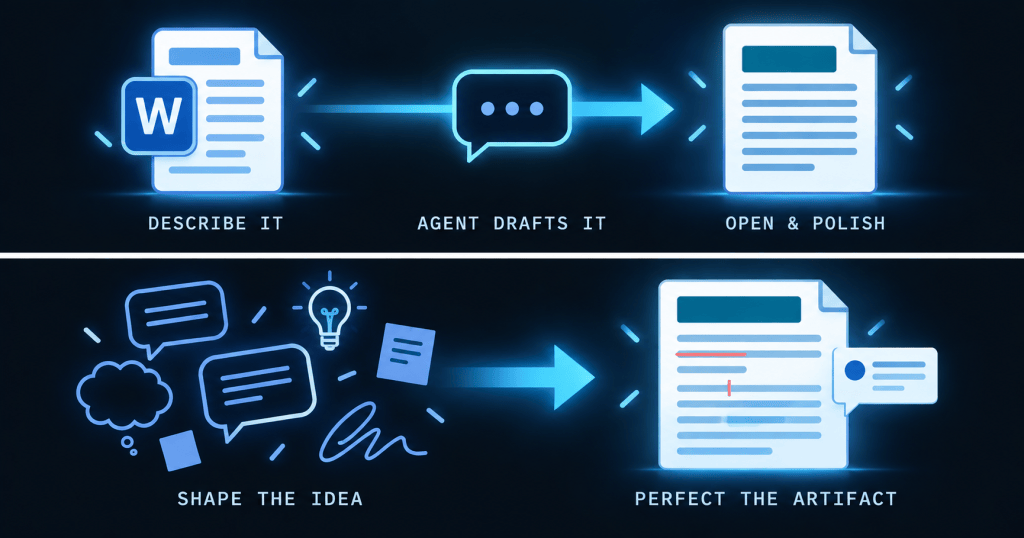
In the Microsoft 365 Copilot app on web or in Teams, open the Tools menu (or All Agents in the left navigation) and choose the Word Agent. Describe the document you want, answer a clarifying question or two, and the agent generates a real Word file and saves it to your organization’s OneDrive. “Create a two-page project proposal with an introduction, problem statement, solution overview, and timeline” becomes a drafted, formatted document you then open in Word to polish.
What Makes It Different: The Model Behind It
The Word, Excel, and PowerPoint Agents run exclusively on Anthropic’s Claude models — a distinct choice from the models behind most of the rest of Microsoft 365 Copilot. A tenant admin has to connect Anthropic’s models in the Microsoft 365 admin center before these agents appear at all. If you open the Tools menu and don’t see the Word Agent, that’s the first thing to check with your admin.
Licensing: Who Can Actually Use This
⚠️ Watch out
Word, Excel, and PowerPoint Agents require a paid Microsoft 365 Copilot license — they’re not available to Copilot Chat users without one, and they don’t extend to Personal, Family, or Premium subscriptions. If you’re recommending this to a colleague, check their license and your tenant’s Anthropic-model setting first.
A Practical Scenario
A team lead needs a one-page SOP for onboarding a new vendor and doesn’t have a template to start from. Instead of opening a blank document, she opens the Word Agent and describes what she needs: sections for intake, approval, and setup, written for someone doing this for the first time. The agent produces a structured draft in under a minute, saved to her OneDrive. She opens it in Word, adjusts the approval step to match her team’s actual process, and has a usable SOP in the time it would have taken to just stare at a blank page deciding how to start.
Best Practices and Common Pitfalls
Describe the document by its purpose and audience, not just its topic — “a proposal a director will skim in two minutes” produces a different draft than “a proposal for a technical review board.” Treat the output as a first draft, not a finished document; it still needs your review for accuracy, tone, and anything specific to your organization. And don’t assume a colleague without a Copilot license can follow along — verify their license and your tenant’s Anthropic-model setting before you build a workflow that depends on this.
Key Takeaways
The Word Agent turns a plain-language description into a real, saved Word file, removing the blank-page step entirely. It runs on Anthropic’s Claude models, which a tenant admin has to enable before the agent appears. And it requires a paid Microsoft 365 Copilot license — there’s no free-tier or Personal-account path to this one, so confirm access before you count on it.
What’s Next
Getting a first draft is only half the workflow. The next piece in this series covers what happens after the Word Agent hands off: when to keep working in chat, and when to move into Word itself to finish the job.


Leave a Reply